Understanding Alternative Website Addresses and Safer Online Access
The internet is designed to make information and digital services accessible from almost anywhere. However, users sometimes discover that a familiar website address no longer works, loads slowly, redirects unexpectedly, or becomes difficult to reach. In situations like these, people may encounter another web address described as an alternative address.
An alternative website address is generally another domain or URL that provides access to a service or website associated with an existing online presence. Such addresses can appear for several practical reasons, including technical maintenance, domain changes, regional access differences, or efforts to improve availability. Because not every alternative address is automatically trustworthy, users should understand how to examine a website before entering personal information or interacting with its features.
What Is an Alternative Website Address?
An alternative website address is a secondary web address that may be associated with a particular online service. Instead of accessing a service through its commonly recognized domain, a visitor may be directed toward another address that serves a similar purpose.
Alternative addresses can sometimes be temporary. A website operator might use another domain while the primary address is undergoing maintenance or experiencing technical problems. In other cases, an organization may change its domain name permanently and use an older address to redirect visitors to the newer location.
The important point is that the existence of an alternative address does not automatically confirm its legitimacy. A website address should always be examined independently before it is trusted.
Why Do Users Encounter Alternative Links?
There are several reasons why people may come across different website addresses.
Domain Changes
Businesses and online services occasionally change their domain names. This can happen because of branding decisions, business restructuring, technical requirements, or changes to their online infrastructure. During such a transition, visitors may encounter multiple addresses connected to the same service.
Technical Maintenance
Websites require regular maintenance. Servers, databases, security systems, and other technical components can occasionally experience interruptions. A secondary address may sometimes be used to maintain access while technical work is being completed.
Regional Differences
Some websites use different domains or subdomains for visitors from different countries or regions. This can help organizations provide localized content, language options, or region-specific information.
Temporary Availability Problems
Internet connectivity does not always work consistently. Problems involving DNS systems, hosting providers, networks, or domain configuration can prevent users from reaching a familiar address. An alternative address may appear during such circumstances.
See also:Mutf_In: Sbi_Life_1d4zdz0
How to Check Whether an Address Is Genuine
Finding another website address is easy, but determining whether it is legitimate requires more attention. Users should avoid assuming that an address is safe simply because it looks similar to a familiar domain.
Examine the Domain Carefully
Start by looking at the complete domain name. Pay attention to spelling, unusual characters, additional words, and unexpected extensions. A fraudulent website may use a domain that looks almost identical to a legitimate one while making small changes that are easy to overlook.
For example, replacing a single letter, adding an extra word, or using a different domain extension can create an address that appears convincing at first glance.
Look for Secure Connections
A website should normally use HTTPS rather than an unsecured HTTP connection. HTTPS helps protect information transferred between the browser and the website.
However, HTTPS alone does not prove that a website is legitimate. A fraudulent website can also obtain a valid security certificate. Users should therefore consider HTTPS as one security indicator rather than complete proof of authenticity.
Check Official Sources
The safest way to confirm an alternative address is to compare it with information published through an organization’s established communication channels. Official websites, verified social accounts, support pages, or trusted announcements can provide useful confirmation.
Avoid relying exclusively on addresses shared through random comments, unsolicited messages, unknown forums, or unfamiliar websites.
Common Warning Signs
Certain characteristics should encourage users to stop and investigate before continuing.
A suspicious address may contain unusual spelling, excessive numbers, unfamiliar domain extensions, or unnecessary words. Unexpected redirects can also be a warning sign, particularly when a visitor is repeatedly sent between unrelated websites.
Users should also be cautious when a website immediately requests sensitive information without a clear reason. Requests for passwords, financial information, identification documents, or other private details deserve particular attention.
Another warning sign is pressure. Websites or messages that insist users act immediately, claim that an account will disappear, or create unnecessary urgency should be treated carefully.
Protecting Personal Information
Safe browsing is not only about identifying the correct website address. It also involves controlling what information is shared online.
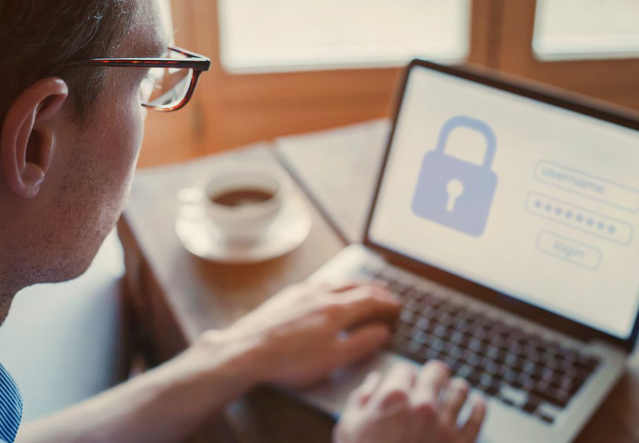
Avoid entering sensitive information into websites unless their identity and purpose have been confirmed. Passwords should never be reused across important accounts, because a compromised password can potentially affect several services at once.
Using a password manager can make it easier to create unique passwords for different accounts. Multi-factor authentication can provide another layer of protection when it is available.
Users should also avoid sharing unnecessary personal details. Information such as identification numbers, private addresses, account credentials, or financial details should only be provided when there is a legitimate and clearly understood reason.
Keep Devices and Browsers Updated
A secure browsing environment also depends on the device being used. Operating systems, browsers, security applications, and other software should be kept reasonably up to date.
Updates frequently contain security improvements designed to address newly discovered vulnerabilities. Delaying important updates for long periods can leave devices exposed to problems that have already been addressed by software developers.
Users should also install applications and browser extensions only from reputable sources. Unknown extensions can sometimes request broad permissions that allow them to access browsing information or other sensitive data.
Be Careful With Messages and Shared Links
Many people discover alternative addresses through messages, social media posts, emails, or online discussions. This makes it important to evaluate the source of a link before opening it.
A message from an unknown sender should not automatically be trusted simply because it contains a familiar name or logo. Attackers can imitate legitimate organizations and create convincing messages designed to encourage users to click quickly.
Instead of immediately following a questionable link, users can manually enter a known official address into their browser or search for reliable information through an established source.
What to Do When an Address Seems Suspicious
If a website appears unusual, the safest approach is to stop rather than continue experimenting with it. Close the page and verify the address through a reliable source.
If sensitive information has already been entered on a suspicious website, users should consider changing the affected password from a trusted device and reviewing relevant account activity. Where appropriate, additional security measures such as multi-factor authentication should also be enabled.
Keeping records of suspicious messages or addresses can be useful when reporting potentially harmful activity to the relevant platform, service provider, or security organization.
A Practical Approach to Safer Browsing
Users do not need advanced technical knowledge to develop better online habits. A simple routine can make a significant difference:
- Check the complete website address before continuing.
- Look carefully for spelling changes or unusual domains.
- Confirm unfamiliar addresses through reliable sources.
- Avoid entering sensitive information on unverified websites.
- Keep browsers, operating systems, and security software updated.
- Use unique passwords and additional account protection where possible.
- Treat unexpected messages and urgent requests with caution.
These habits are useful for practically every type of website, whether the visitor is reading information, creating an account, communicating with a service, or accessing an online platform.
Conclusion
Alternative website addresses can appear for many ordinary technical and operational reasons, but users should never assume that every alternative link is genuine. Understanding how domains work, checking addresses carefully, confirming information through reliable sources, and protecting personal information can significantly improve online safety.
The idea behind an alternative address is straightforward: it provides another route to an online service. The challenge is determining whether that route is legitimate. By slowing down, checking the domain, avoiding unnecessary information sharing, and maintaining good security practices, users can make more informed decisions whenever they encounter an unfamiliar website address.